Xaccel-Codec 4.7.20 Offline
Install Xaccel-Codec v4.7.20 with native Widevine and PlayReady DRM decryption on Ubuntu. Full offline-ready IPTV transcoder.
🚀 How to Install Xaccel-Codec v4.7.20 (DRM Widevine & PlayReady Native Decryption)
Meta Description: Install Xaccel-Codec v4.7.20 with native Widevine and PlayReady DRM decryption on Ubuntu. Full offline-ready IPTV transcoder.
Keywords: xaccel codec 4.7.20, xaccel drm widevine, playready iptv panel, iptv transcoder, ubuntu xaccel install, xaccel offline, iptvtools guide
Xaccel-Codec v4.7.20 is one of the most advanced versions of the Xaccel streaming engine. It brings major improvements compared to older builds such as 4.3.19, including:
- Native Widevine DRM decryption
- Native PlayReady DRM decryption
- Faster video pipeline
- Improved HLS, TS and DASH processing
- Updated dependencies for Ubuntu 20.04 and 22.04
- Better API integration for automation and token/auto‑key scripts
- Higher overall system stability
This makes v4.7.20 ideal for modern IPTV workflows that require DRM, auto‑keying, automation and high reliability.
⭐ Why We Recommend Xaccel-Codec v4.7.20 Instead of 4.3.18 / 4.3.19
Xaccel-Codec 4.7.20 offers a clear upgrade over older builds.
✔ Updated core engine
Newer libraries, improved FFmpeg compatibility and optimized threading.
✔ Native DRM Decryption
Direct support for:
- Widevine L1/L3 workflows
- PlayReady key extraction and stream processing
✔ More Stable & Modern
Runs smoother on newer kernels and avoids compatibility issues found in older versions.
✔ Better Automation Support
Works flawlessly with API scripts, auto‑token systems, CDMs and auto‑update key workflows.
✔ Future‑proof
4.3.x builds are outdated, while 4.7.20 supports the latest IPTV/CDN changes.
✅ Xaccel-Codec v4.7.20 Summary
- Modern and stable
- Native DRM decryption
- High-performance transcoding
- API-friendly for automation
- Recommended over all 4.3.x builds
🔍 How DRM Works in Xaccel-Codec 4.7.20
Xaccel 4.7.20 includes a built‑in DRM processor with:
- Widevine decryption (WV)
- PlayReady decryption (PR)
- Automatic key injection
- Token and CDM compatibility
It supports integration with:
- Auto‑key scripts
- API‑based token systems
- Custom CDM extraction tools
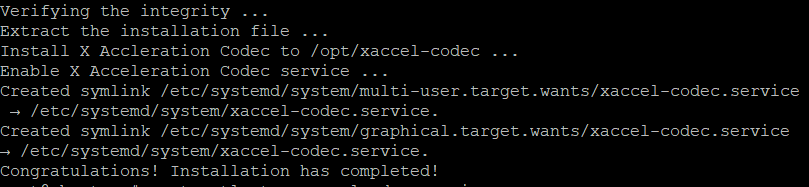
⚙️ Installation Guide – Xaccel-Codec v4.7.20
You can install v4.7.20 on Ubuntu 20.04 or Ubuntu 22.04.
📦 Step 1: Download Xaccel-Codec v4.7.20
Choose your operating system.