Xaccel-Codec 4.3.19 Offline
Install Xaccel-Codec v4.3.19 Offline Lifetime Edition with NVENC GPU acceleration on any IPTV/OTT server.
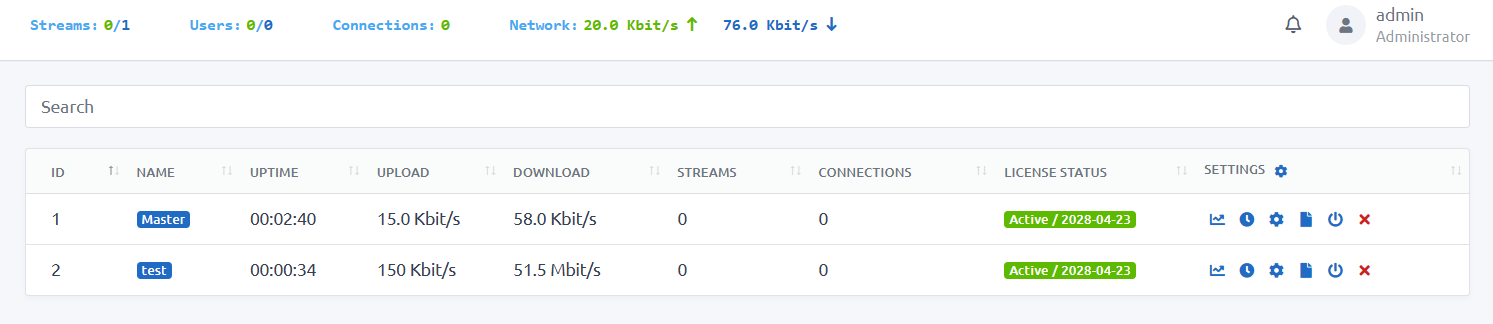
🚀 How to Install Xaccel-Codec v4.3.19 ( NVENC Edition)
Xaccel-Codec v4.3.19 is a high‑performance IPTV streaming engine designed for real‑time transcoding, channel processing and professional OTT workflows. The offline lifetime edition removes all licensing limitations and enables unlimited deployments.
🔐 Premium Required The download links and installation commands are visible only to Premium members. You are currently browsing as a free user. ✨ Upgrade to Premium to unlock full access instantly.
🔒 What Is Xaccel-Codec Lifetime Edition?
This version provides:
- Unlimited server installations
- No internet requirement for license validation
- Lifetime activation
- Full NVIDIA NVENC GPU acceleration
- Stable v4.3.19 build ideal for production
It is widely used in IPTV infrastructures for its reliable transcoder, DVB compatibility and scalable streaming engine.
🛠 Recommended Server Specs
- CPU: 6–12 cores
- RAM: 16–32 GB
- Disk: SSD/NVMe
- GPU: NVIDIA P2000, T400, T600, T1000 or higher
- OS: Ubuntu 20.04 / 22.04 LTS
⚙️ Step-by-Step Installation Guide
📥 Step 1: Download & Install Xaccel-Codec
Run the installer as root: