Add Bouquet, Category, and Live Stream in XUI.ONE
Learn how to create bouquets, categories, and add live streams in XUI.one using this simple step-by-step setup guide.

📺 Add Bouquet, Category, and Live Stream in XUI.ONE
This guide teaches you how to create bouquets, categories and live streams inside the XUI.ONE panel. You learn each step required to organize your IPTV structure.
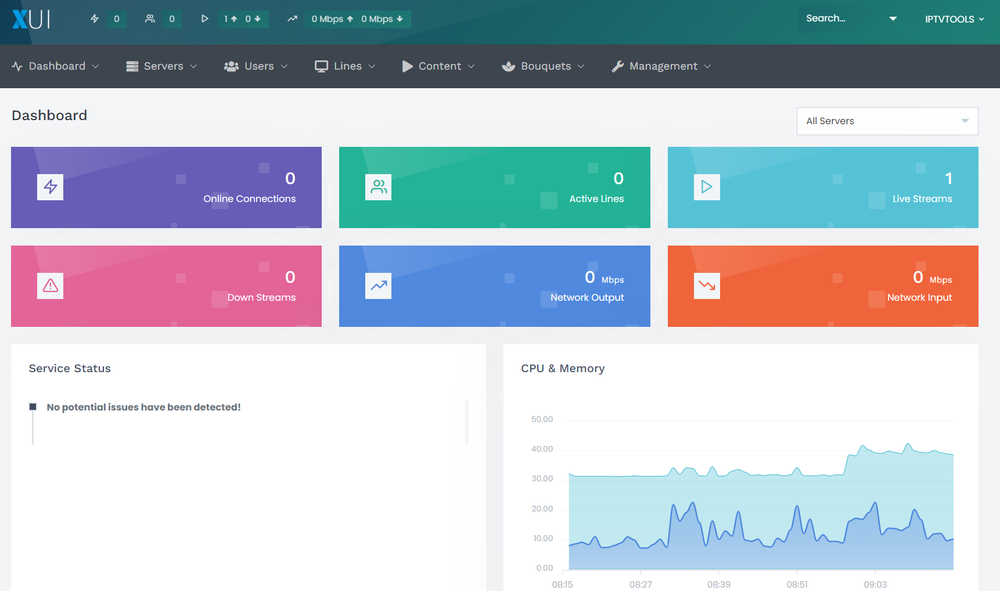
🌐 Step 1: Access the XUI.ONE Admin Panel
Open your browser and go to your XUI.ONE admin URL:
http://your-server-ip:your-access-code
Log in using your administrator credentials.
📦 Step 2: Create a Bouquet
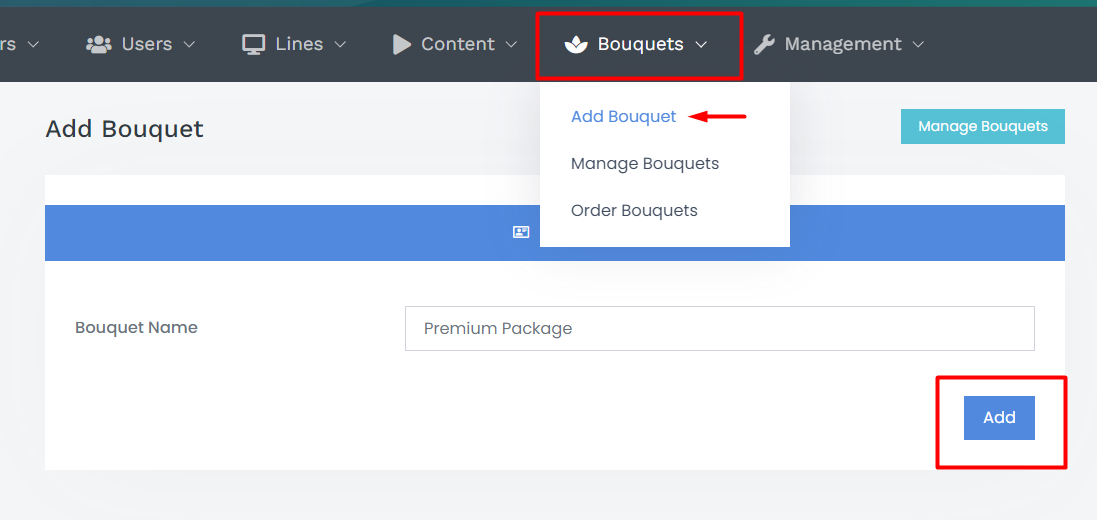
Bouquets are channel packages that you assign to users.
Inside the panel:
- Go to Bouquets > Create Bouquet.
- Enter a Name (example: Premium Package).
- Add a Description if needed.
- Click Save to create it.
🗂️ Step 3: Create a Category
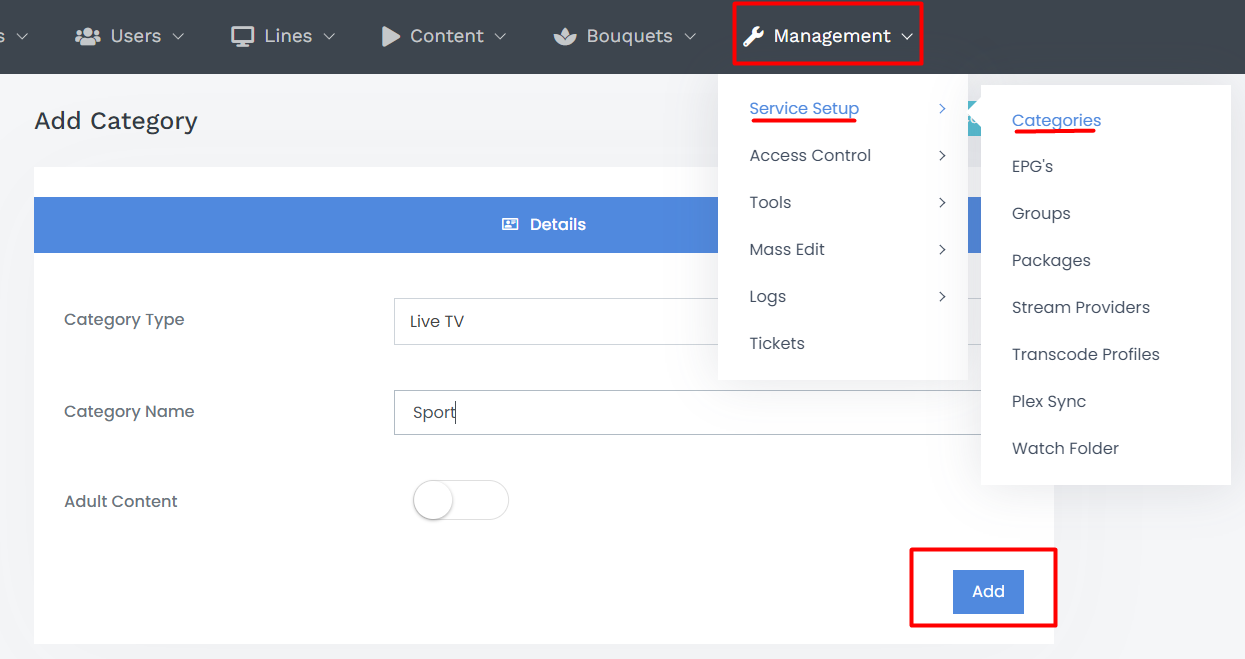
Categories organize channels into groups like Sports, Movies or News.
Inside the panel:
- Go to Management > Service Setup > Categories.
- Enter a Name (example: Sports).
- Click Add.
🔴 Step 4: Add a Live Stream
Now add your first live stream.
Navigate to:
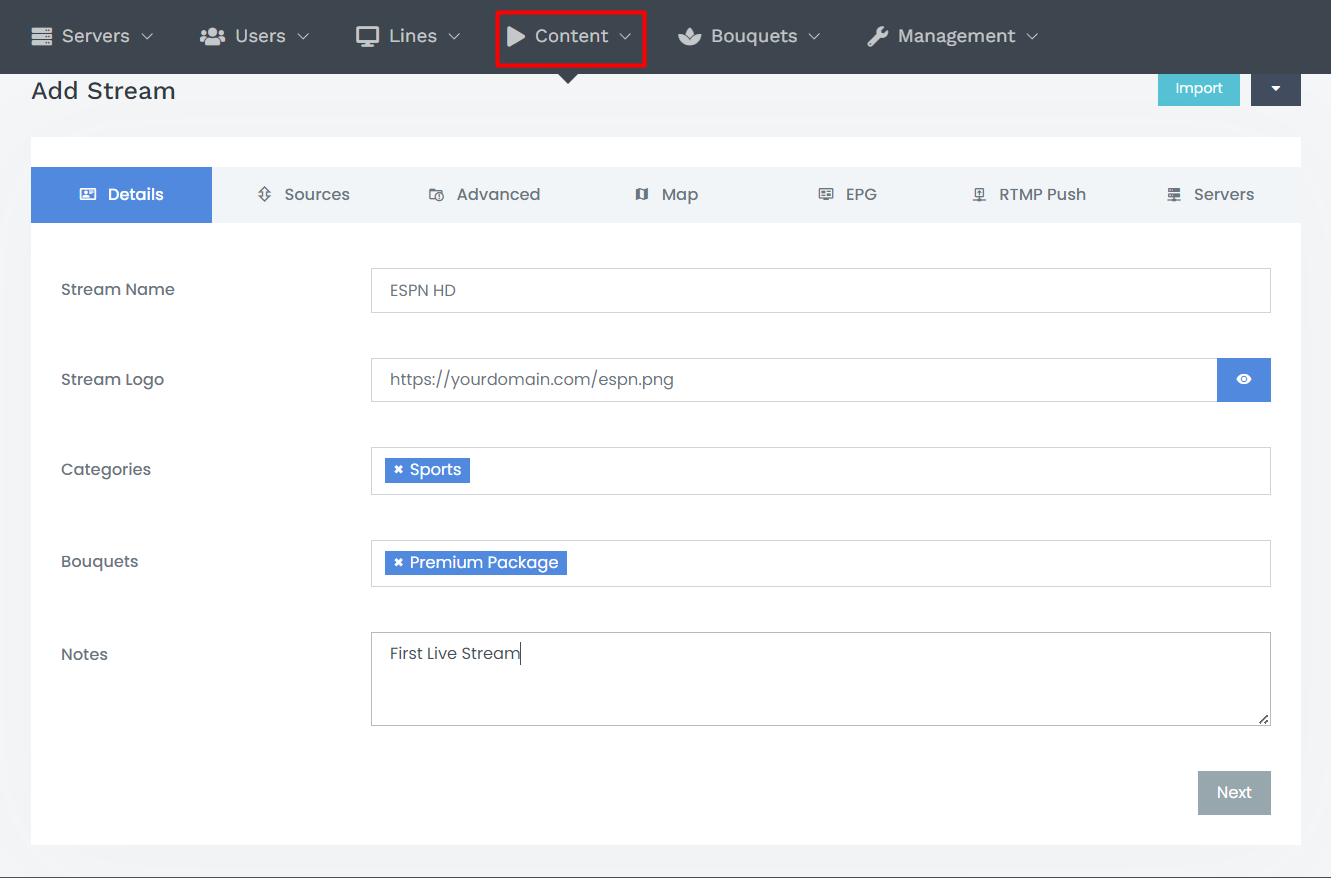
Content > Streams > Add Stream
Fill the required fields:
- Stream Name: ESPN HD
- Stream URL: http://example.com/stream/espnhd.m3u8
- Category: choose the category you created.
- Bouquets: select the bouquet(s) to include this stream.
- Add optional settings like EPG ID or Logo URL.
Click Save.
✅ Step 5: Verify the Stream
To test the stream:
- Go to Content > Streams > Manage Streams.
- Find your newly added stream.
- Click the Play icon.
- Confirm that video playback works properly.
🧩 Additional Tips
- EPG Integration: Assign correct EPG IDs and configure sources in EPG Settings.
- Channel Logos: Improve user experience by adding logo URLs.
- Transcoding: Use Transcoding Profiles if you need to adjust or process stream quality.
Your IPTV structure is now ready for users, bouquets and advanced configuration.