XUI 2.0 Changelog - Build 26060532D6
🚀 Release Notes — XUI Panel Build 26060532D6
Release Date: June 5, 2026 Build: 26060532D6 Type: Stable Release
This release introduces a major new feature — Remote Backup (S3 + SFTP) — alongside a series of meaningful fixes to Series & Episodes, Redis caching, server synchronization, and M3U imports. The focus this cycle is simple: keep your IPTV panel's data safe off-site, and make day-to-day content management smoother and more reliable. 🛡️
✨ New Feature: Remote Backup (S3 + SFTP)
Overview
Your panel can now automatically send every backup to a remote destination, configured straight from the Backups page. This replaces the older Dropbox-only integration with a flexible, driver-based system that works with the storage providers you already use — or the self-hosted server sitting in your own rack. 💾
In plain terms: every time the panel creates a backup, a safe copy is shipped off your main server automatically. If the machine ever fails, your data is already somewhere else, ready to restore.
🌐 Supported Destinations
| Method | What it covers |
|---|---|
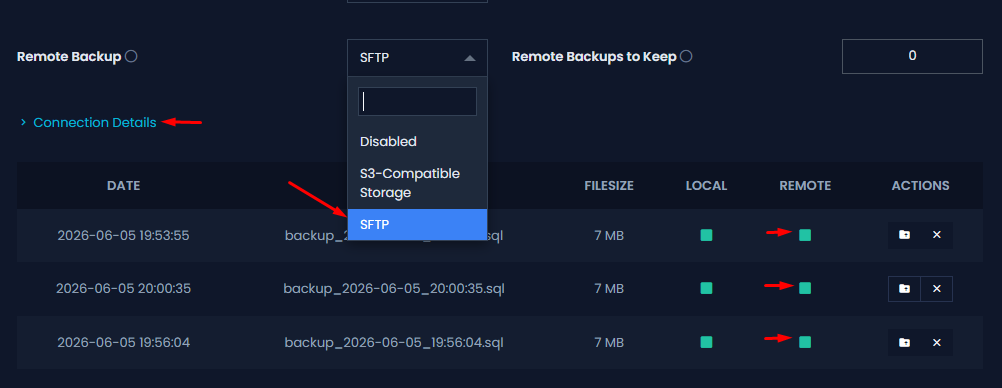
| S3-compatible | A single driver works with AWS S3, Backblaze B2, Wasabi, Cloudflare R2, DigitalOcean Spaces, and self-hosted MinIO. Native AWS Signature V4 signing, with path-style support for MinIO. |
| SFTP | Any SSH server, NAS, or seedbox. Authenticate with a password or a private key — the same reliable method used when installing load balancers, so there's no fiddling with host keys. |
🔑 Key Benefits
| Benefit | Why it matters |
|---|---|
| Off-site safety | Backups live somewhere other than the panel server, protecting you from hardware failure. |
| Provider freedom | One feature, many providers — pick the storage you already trust, including self-hosted. |
| Automatic uploads | Every local backup is sent remotely with zero manual steps. |
| Smart retention | Old remote backups are rotated automatically to keep storage tidy and costs predictable. |
⚙️ How It Works
When enabled, the panel adds remote uploading on top of its normal local backups — nothing about your existing routine changes.
The flow is designed to stay out of your way:
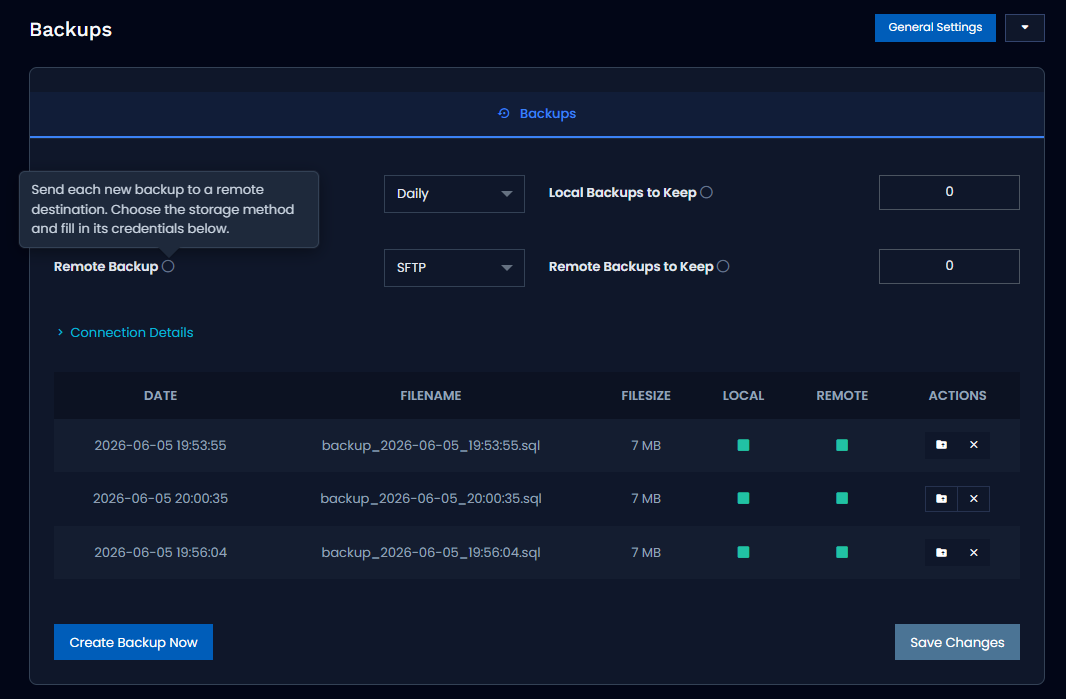
- Choose your method under Backups → Remote Backup. Connection details are hidden by default inside a collapsible "Connection Details" section, so the page stays clean until you actually need to edit them.
- A Test Connection button verifies your settings before you save — no guessing whether the credentials are correct.
- Every time a local backup is generated, it is uploaded automatically to your remote destination. A Remote column in the backups table shows the live status of each one (uploaded ✅ / in progress ⏳ / error ⚠️).
- Configurable remote retention ("Remote Backups to Keep") automatically rotates older backups off the remote storage.
🔧 Configuration Options
Everything is managed directly from the Admin Panel — no config files to edit by hand. The feature is secure, adds no new external dependencies, and runs on the main server only (not on load balancers).
🎬 Series & Episodes
Automatic episode-number matching via TMDB (primary fix) 🎯
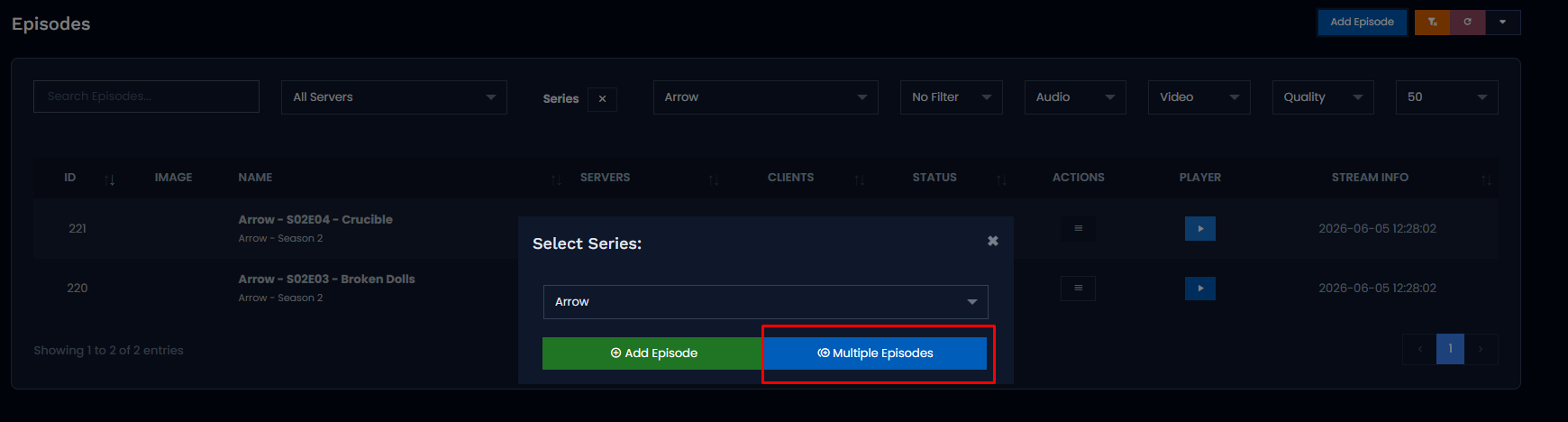
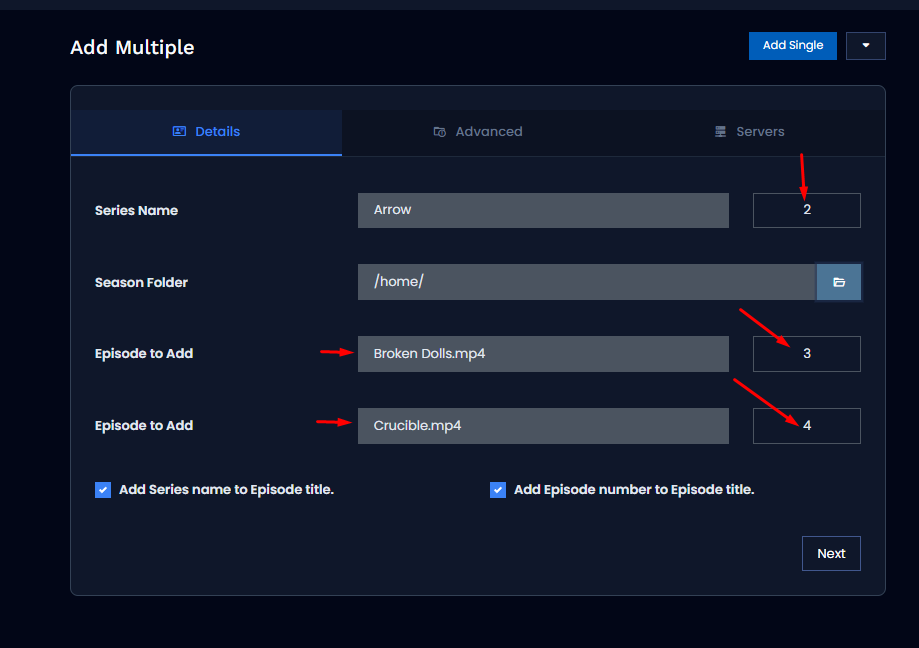
When you add episodes from a folder, the panel reads the episode number from the file name. For files with messy or inconsistent names, that automatic detection used to fail — and those episodes were left unnumbered, forcing you to fix them by hand.
Now there's a smart fallback. When the file name can't be parsed, the panel compares it against the official episode titles for the selected season (pulled from TMDB) and fills in the correct episode number automatically.
- Fuzzy title matching, with an extra boost when the file name contains part of the episode title.
- Only matches scoring 65% or higher are accepted, so messy files don't get linked to the wrong episode.
- The result: far fewer manual corrections when importing whole seasons. 🙌
Fix: creating and editing series and movies
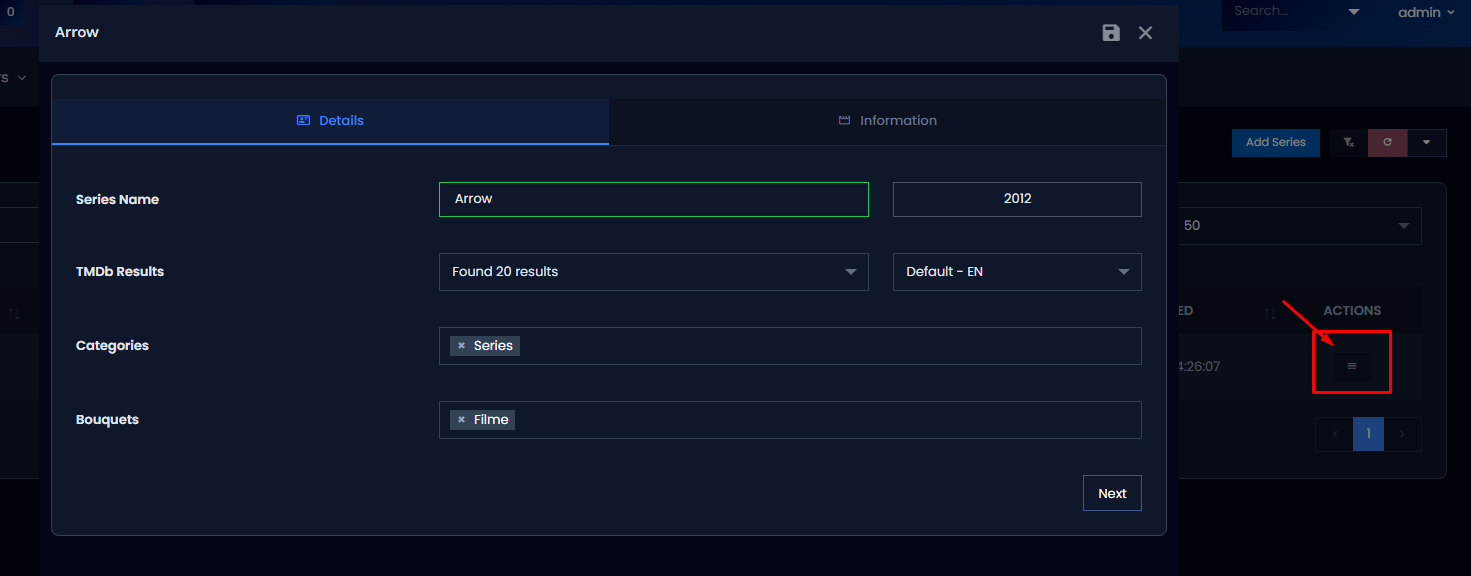
While processing a stream, an internal "source" value could arrive in two different shapes, which occasionally caused a save to fail. That value is now normalized consistently before it's used, preventing those errors when you create or edit series and movies. ✅
🛠️ Other Fixes & Stability
Redis
- Connection counter initialization when Redis is enabled, removing an undefined value that could appear in stats. 📊
- Automatic cache regeneration when Redis is turned on or off, so the data you see stays consistent immediately — no stale numbers after toggling.
Server synchronization
- Server data now refreshes right after the relevant operation, keeping the panel's view up to date.
- Servers are looked up directly from the database, so all states are handled correctly — including failed installs — together with a proper server-type check. 🔁
M3U import
- Direct source is now set by default for M3U imports, so imported streams use the direct source from the very start — fewer playback surprises after an import. 📺
📋 Summary
This build makes your panel safer and smarter: automated off-site backups across S3 and SFTP providers, intelligent TMDB-based episode matching that cuts down manual work, and a round of stability fixes across Redis, server sync, and M3U imports. Update with confidence. 🚀
Remote Backup (S3 + SFTP), smart TMDB episode matching, plus Redis, server sync & M3U fixes — your IPTV panel just got safer and smarter. 🚀