WebPlayer Smarters v2.0 Full
Learn how to install, configure and activate WebPlayer Smarters v2.0. Full tutorial with database setup, DNS settings and lifetime-licensed IPTV web player integration.
⭐ WebPlayer Smarters v2.0 – Complete Installation & Configuration Guide
🌐 What Is an IPTV WebPlayer?
An IPTV WebPlayer is a browser-based streaming application built using HTML, PHP, JavaScript, CSS and AJAX, combined with modern video players such as FlowPlayer or JWPlayer.
These technologies ensure:
- Fast loading
- High compatibility
- Smooth playback
- Support for HLS (m3u8), MP4, TS and browser-native formats
- Functionality on all devices without installing any APK
A WebPlayer is a vital component for any IPTV provider because:
- Clients can watch channels without installing apps
- Works on Smart TVs, PC, Laptops, Tablets, Phones
- Perfect for users who cannot install APKs
- Reduces support time and increases accessibility
WebPlayer Smarters v2.0 is a powerful and easy-to-configure solution with:
- Lifetime license
- Full installation package
- Ready-made files
- Simple setup workflow
🚀 Why Choose WebPlayer Smarters v2.0
- Works on any device with a browser
- HTML5 responsive interface
- Clean Material-style UI
- Supports HLS, MP4, TS
- Direct Xtream Codes & XUI.one login
- Multi-DNS support
- Admin panel included
- Lifetime license
- Simple installation
WebPlayer completes your IPTV suite by providing a universal streaming solution for users everywhere.
📥 Step 1: Download WebPlayer Smarters v2.0
Download the full package:
Upload the ZIP to your hosting root and extract it.
You will get a folder structure containing:
- HTML files
- PHP core
- JS/CSS assets
- Admin panel
- Database config files
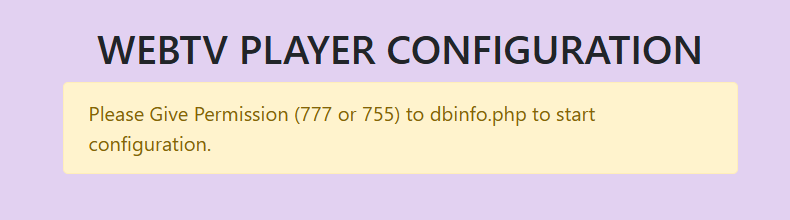
Give write permissions (775 or 777) to ensure the webplayer can create the required configuration files.