APK Editor Studio
Powerful tool for editing and rebuilding Android APKs with full control over icons, resources, permissions and structure.
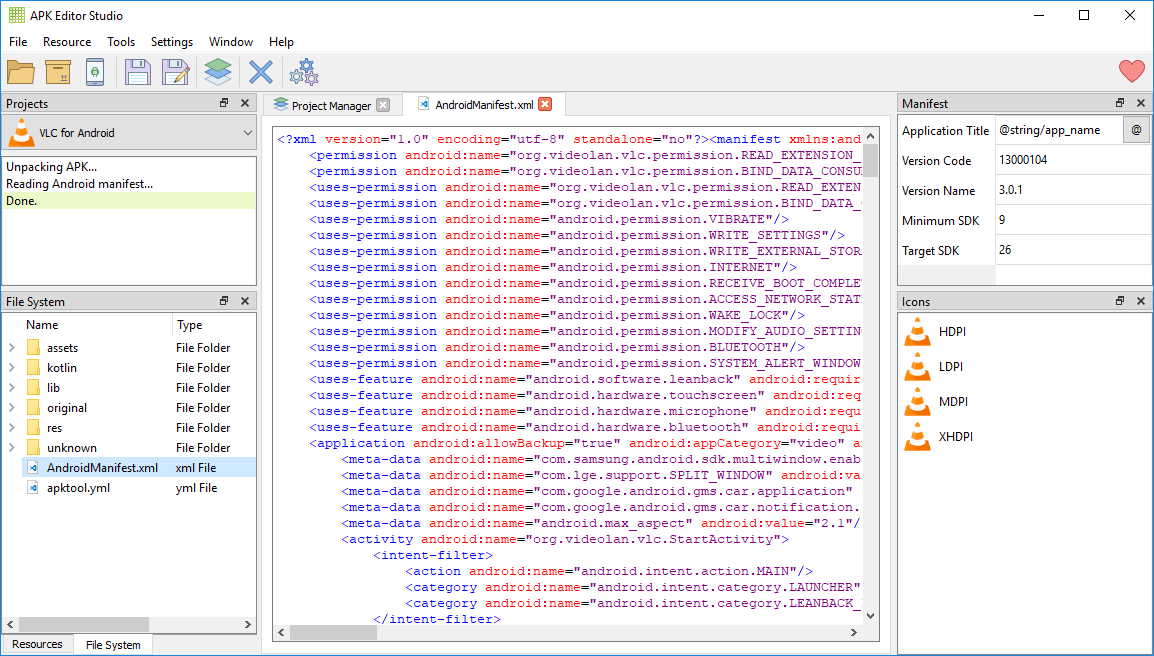
APK Editor Studio – Complete Guide for APK Reverse-Engineering and Rebranding
APK Editor Studio is a powerful tool for reverse-engineering and modifying Android applications. It gives you full control over APK structure so you can rebrand, customize or optimize any Android app. You can edit icons, titles, images, permissions and configuration files using an intuitive interface.


This tool is widely used in IPTV environments because it allows service providers to rebuild apps with their own branding, DNS, colors and UI elements.
Core Features
| Feature | Description |
|---|---|
| Icon Editor | Replace all app icons detected automatically across the APK. |
| Title Editor | Edit the application title and manage translations. |
| Image Editor | Edit or replace images with automatic format conversion. |
| Code Editor | Syntax highlighting and code folding for over 350 formats. |
| APK Cloner | Clone apps to install multiple instances simultaneously. |
| Manifest Editor | Edit AndroidManifest.xml with a clean interface. |
| APK Signer | Sign APKs using built-in keys or your own keystore. |
| Signature Viewer | View and verify certificate signatures. |
| Permission Editor | Add or remove Android permissions easily. |
| Android Explorer | Manage files on connected devices and take screenshots. |
| Resource Inspector | Browse organized resources grouped by qualifiers. |
| Project Manager | Centralized control panel for APK editing tasks. |
| APK Installer | Install APKs on devices instantly. |
| APK Optimizer | Optimize rebuilt APKs for stability and lower resource usage. |
How APK Reverse-Engineering Works
APK editing involves extracting and modifying internal structures.
Decompiling
The APK is extracted and resources are converted into editable smali and XML.
Editing Resources
You can modify the app name, icons, DNS paths, API URLs, layouts, permissions and more.
Recompiling
The application is rebuilt after modifications.
Signing
The APK must be signed with either the default key or your production keystore.
Zipalign
The APK is optimized to improve performance.
Installation
The final APK can be installed directly on Android TV, Android STB, Firestick, phones or emulators.
Why We Recommend APK Editor Studio
APK Editor Studio is updated frequently and developed by a professional software company. It is ideal for IPTV app rebranding, providing stability, speed and all tools required to customize IPTV Smarters, XCIPTV, TiviMate, Microimpuls apps and more.