What Is a PSSH and How to Extract
Learn what a PSSH is, how it works, where to find it in MPD manifests, and how to decode it for DRM analysis using modern tools.
⭐ What Is a PSSH and How to Extract It from an MPD File
⭐ Introduction
PSSH stands for Protection System Specific Header. It is a critical DRM metadata block found inside encrypted video manifests, typically in DASH (.mpd) streaming files. The PSSH contains the information required by the DRM system (such as Widevine or PlayReady) to begin the license request process.
Understanding how PSSH works is essential for anyone analyzing DRM systems, building secure players, or debugging encrypted streams.
🔍 What Is an MPD File?
An MPD file is a Media Presentation Description used by MPEG-DASH. It describes:
- Available video qualities
- Audio tracks
- Segments and chunk locations
- DRM information
- Content protection metadata
The MPD is the first file a DASH player loads before requesting encrypted segments.
🔐 Where PSSH Appears in an MPD File
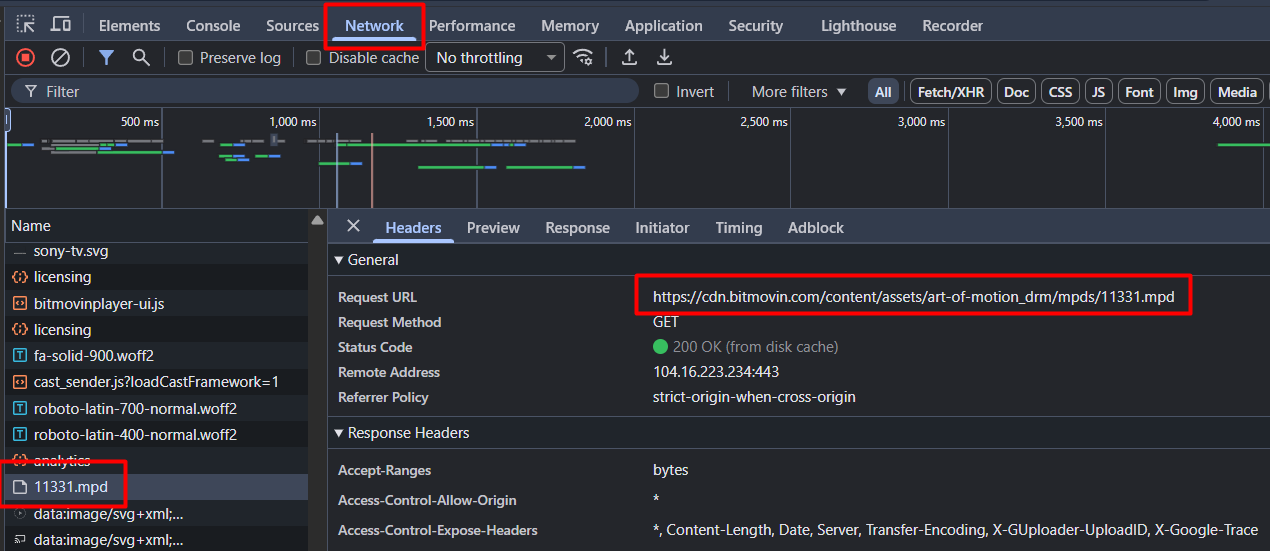
You can extract an MPD URL easily using Developer Tools:
- Open browser
- Open Developer Tools (F12)
- Go to Network
- Start playing the video
- Filter by .mpd
- Open or download the manifest
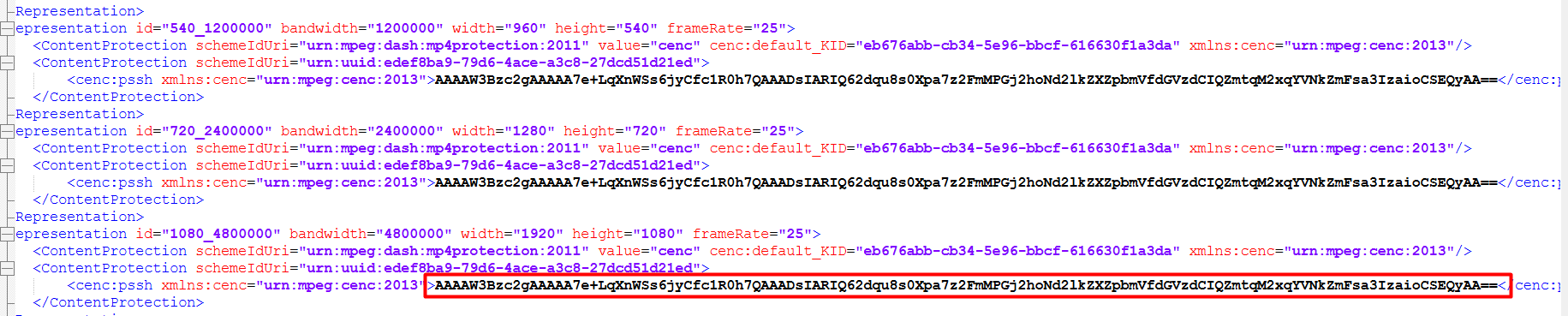
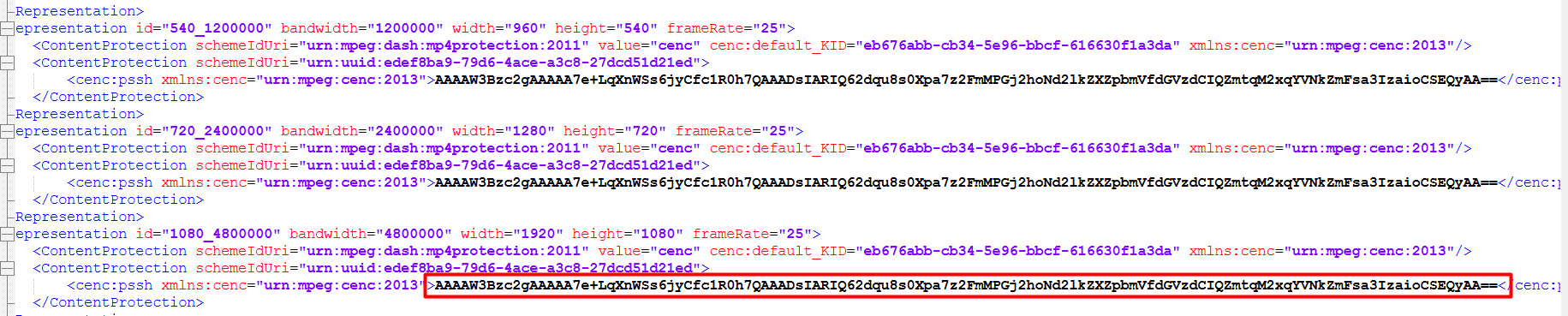
Inside the MPD you will find a PSSH block similar to this:
<Representation id="1080_4800000" bandwidth="4800000" width="1920" height="1080" frameRate="25">
    <ContentProtection schemeIdUri="urn:mpeg:dash:mp4protection:2011" value="cenc" cenc:default_KID="eb676abb-cb34-5e96-bbcf-616630f1a3da" xmlns:cenc="urn:mpeg:cenc:2013"/>
    <ContentProtection schemeIdUri="urn:uuid:edef8ba9-79d6-4ace-a3c8-27dcd51d21ed">
        <cenc:pssh xmlns:cenc="urn:mpeg:cenc:2013">AAAAW3Bzc2gAAAAA7e+LqXnWSs6jyCfc1R0h7QAAADsIARIQ62dqu8s0Xpa7z2FmMPGj2hoNd2lkZXZpbmVfdGVzdCIQZmtqM2xqYVNkZmFsa3IzaioCSEQyAA==</cenc:pssh>
    </ContentProtection>
</Representation>
🧩 What a PSSH Contains
A PSSH includes:
- PSSH Box Version
- DRM System ID (UUID)
- Key ID (KID)
- Content ID
- Provider information
- Encryption scheme (e.g., AES-CTR)
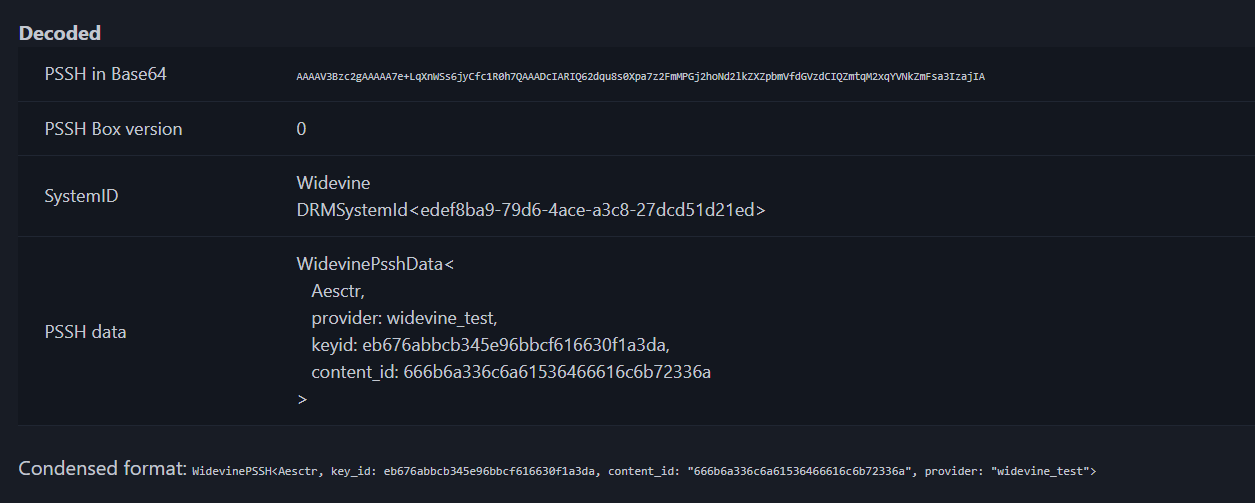
Example (decoded):
PSSH Box version: 0
SystemID: Widevine
DRMSystemId: edef8ba9-79d6-4ace-a3c8-27dcd51d21ed
PSSH data:
WidevinePsshData<
   Aesctr,
   provider: widevine_test,
   keyid: eb676abbcb345e96bbcf616630f1a3da,
   content_id: 666b6a336c6a61536466616c6b72336a
>
Condensed format:
WidevinePSSH<Aesctr,
key_id: eb676abbcb345e96bbcf616630f1a3da,
content_id: "666b6a336c6a61536466616c6b72336a",
provider: "widevine_test">
🧪 How to Decode a PSSH
To decode PSSH values you can use one of the best tools available: